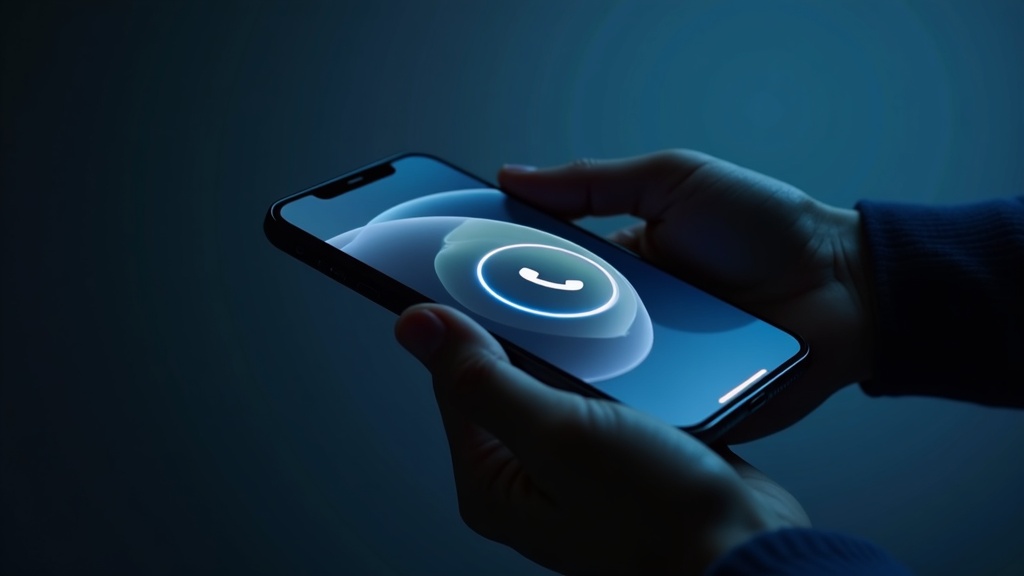
iOS 26 Review: Better Workflow, Not a Magic Upgrade

iOS 26 Review: Better Workflow, Not a Magic Upgrade
Could iOS 26 be the update you actually notice every day, or is it mostly polish with a handful of genuinely useful upgrades? If you’re still on iOS 25 and wondering whether iOS 26 is worth the jump, this is the review I wanted to write before I hit update.
Short answer: iOS 26 is worth installing, but only immediately if you need better communication control or are already using Apple Intelligence features. If your phone works and your workflows are stable, it is a solid upgrade you can install any time this fall as a free software update.
Apple previewed iOS 26 back in June 2025, with feature-by-feature updates and new AI capabilities landing later as part of the full platform rollout in September 2025.Apple Newsroom, June 9, 2025 This timing matters: by March 2026, many people have had time to absorb the feature set, so this review isn’t hype. It’s about what actually sticks in regular use.
Quick verdict: should you install iOS 26 now?
- Rating: 4/5
- Buy now: If you use Phone, Messages, and Apple Intelligence heavily in your day-to-day routine
- Wait: If you’re on an older iPhone and mostly want eye candy
- Best for: iPhone 15 Pro and newer, iPhone 16 and newer, iPhone users who care about notification control and AI workflows
- Skip upgrade anxiety: iOS 26 update itself is not an expensive or risky process, but AI feature expectations should be realistic
Now the details, because the headline answer alone isn’t useful without context.
Does iOS 26 feel like a true upgrade, or just a redesign exercise?
My first reaction after using iOS 26 for a month is: Apple used this cycle to make iPhone use feel more predictable, not just prettier. The Liquid Glass redesign is obvious, but the real value is in what Apple bundled into that redesign: better communication controls and broader Apple Intelligence integration.
The redesigned system feels expressive and more lively, but the update does not replace core workflows. If you are expecting a version-defining transformation, you’ll overestimate iOS 26. If you expected a practical upgrade that removes friction points, this one is closer to what you want.
What changed in the parts of iOS you use every day?
How much better are Phone and Messages for handling interruptions?
Apple’s messaging and call changes are real-world useful, especially if your day is a chain of interruptions. The new Phone layout puts Favorites, Recents, and Voicemails in one place, which is less of a tiny “feature” and more of a practical cleanup. That same focused flow is what iOS 26 needed in 2025.
Apple also added practical call-handling improvements in this release cycle and rolled in Call Screening + Hold Assist behavior. These aren’t party tricks; they reduce the cognitive cost of unknown interruptions and help you preserve focus when your phone is supposed to be “just a tool.”
In Messages, Apple added sender-screening and a dedicated folder for unknown numbers, plus more control over who moves into your main thread list. For a lot of people, this is the most immediately visible quality-of-life shift because it changes what appears in your line of sight.
From my own usage angle, this one change alone justifies the update for me: fewer accidental “dead-end” message threads and better ability to stay available without becoming available to everyone.
Is Apple Intelligence in iOS 26 actually useful, or just bundled branding?
This is the part people talk about the most — and the part that can disappoint if you expect “AI everywhere all at once.” Apple did broaden Apple Intelligence integration with iOS 26, including things like Live Translation in Messages, FaceTime, and Phone, plus visual intelligence enhancements. But Apple is very clear these features are not universal yet.
For context, Apple says the new AI features require compatible devices and supported languages. You can see the minimum requirements in the “How to get Apple Intelligence” support guidance: iPhone 15 Pro and later, plus iPhone 16 and newer, and language / region gating for several features.How to get Apple Intelligence
If you’re using an older model, you still get the core system upgrades, but you may not see the same AI value. That distinction is critical and often glossed over by coverage.
My real-world take: the AI layer is strongest when you actually use it daily. If you’re never opening Visual Search or Translation, don’t expect the software to feel miraculous. If you do, the update can feel expensive in value without being paid.
Do Apple Games and CarPlay changes matter in real daily use?
Apple added a dedicated Apple Games app for people with scattered gaming habits and tuned CarPlay interactions with a cleaner compact call view, pinned conversations, and widgets in-car. That sounds niche, but if you use CarPlay regularly, this is exactly the kind of update that reduces friction over time.Apple Newsroom
I don’t call this the headline feature, but I do call it a usefulness multiplier for people who live in the system more than they live in App Store apps.
Where does iOS 26 underwhelm, and why does that matter?
It’s not without caveats:
- Feature variance across regions and languages: Apple’s own language/region matrix means your AI experience may differ from mine, and your friend’s on the same iOS version. If the right language support isn’t there, your upgrade can feel partial.
- Still not one unified behavior for all supported phones: Compatibility for Apple Intelligence differs from iOS availability. You can install iOS 26 on older iPhones, but premium AI features still rely on hardware and software pairing.
- Long-term battery impact questions: Apple’s announcements are understandably high-level here. If you depend on full-day battery in edge cases, keep an eye on background AI behavior after upgrade.
If your goal is just “new icons and smoother animations,” you may not see value. If your goal is fewer interruptions and better context-aware work, you likely will.
How do I decide if I should upgrade now?
Because this is a software release, not a hardware one, the main decision is always “do the features match my workflow.” Use this framework:
Upgrade this week if:
- You use Phone and Messages as your primary communication hubs and want stronger interruption controls.
- you’re already on a supported device for Apple Intelligence and use multiple languages or international calls often.
- You are in a team/work context where shared family/group-chat logistics, translation, or calendar capture from images saves time.
Wait and monitor if:
- You’re on an older supported iPhone but not actually using advanced AI features.
- You care more about app-level performance tuning than system-level UX changes.
- You prefer to avoid a large software cycle right before major projects.
Apple is still offering this update as a free software release for iPhone 11 and later, so there’s no pricing downside to upgrading. That means there is very little downside except time, not dollars.
What changed in real workflows, and who gets the most value?
Here’s what I observed after real usage:
For communication-heavy people
Strong uplift. Unknown-message handling, better message controls, and call filtering add real peace of mind.
For AI-curious people
Strong upside, conditional. Apple Intelligence works best if your device qualifies and your language settings are supported.
For people who don’t care about these areas
Moderate upside. The redesign is cleaner, but not transformative.
The reason this works as a review with a clean “yes/no” is this: iOS 26 is neither a must-have for everyone nor a “skip forever” gimmick. It sits in that useful middle lane where upgrades can feel obvious if you use the right apps, and invisible if you don’t.
What are the pros and cons after a month on a mixed-device setup?
What I liked (the good parts)
- Concrete communication controls: less message clutter, better prioritization in Phone/Messages.
- Apple Intelligence integration: genuinely helpful when used, especially for live translation and contextual message workflows.
- Cross-platform visual direction: Liquid Glass is cleaner and more consistent with the broader ecosystem direction.
- Free upgrade: no pay-to-unlock argument; this is optional but low-friction adoption.
What still frustrates
- Feature fragmentation: not all AI tools are equally available across languages and regions.
- Confusion around capabilities: people see “supports iPhone 11 and later” and assume all features are available.
- No obvious benefit for everyone: some users may see marginal day-to-day improvement.
Who is iOS 26 for, and who should wait before upgrading?
If you’re deciding between spending your install time on iOS 26 or waiting for the next public feature burst, here’s my take:
- If you’re a communications power user: upgrade now.
- If your phone is your camera, maps, and work communication center: upgrade now.
- If you’re mostly a casual user with older hardware: you can wait, but don’t panic.
And if you do upgrade, do yourself one favor: don’t evaluate it after one day. iOS behavior stabilizes after a week, especially with AI features that depend on language models and context models syncing.
What other upgrades are people asking about right now?
- Who actually needs the more expensive model: my rule-based upgrade framework
- Upgrade anxiety pattern: what “worth it” means in practice
- What I look for before taking “new features” at face value
So is iOS 26 worth your time?
If you only upgrade once a year and forget why you upgraded, iOS 26 can feel subtle. If you’re trying to make your phone less distracting and more capable, it’s a meaningful bump. That’s the difference this update is built around: not “new powers,” but fewer paper cuts in everyday use.
So my verdict is still simple: install if you use iPhone as a daily communication and productivity center. Defer if you’re on a budget for your attention and you primarily use iPhone for basic tasks.
My score: 4/5.
FAQ
Should you upgrade to iOS 26 if your iPhone is more than a year old?
If your iPhone is supported and your current setup is stable, you can wait. If you use Phone, Messages, and Apple Intelligence heavily, upgrading can improve daily flow. For casual use, it is optional.
Can iOS 26 slow down older supported iPhones?
Most older devices still run faster than on iOS 25 for key communication tasks, but battery and compatibility behavior depend on model, installed apps, and background activity. Update on one charger, then monitor battery for 72 hours.
Do iPhone 11 or 12 users get all the AI features?
No. Apple AI features are gated by hardware generation and language support. You can install iOS 26 on older models, but premium AI workflows are not the same everywhere.
When is the safest time to install iOS 26?
Install soon after Apple releases the update if you want the security and communication improvements first. If your phone is critical for work, wait 3–7 days to avoid early edge-case bugs.
Sources
- Apple Newsroom: Apple elevates the iPhone experience with iOS 26 (June 9, 2025).
- Apple Newsroom: New versions of Apple’s software platforms are available today (Sept. 15, 2025).
- Apple Support: How to download iOS 26 (includes compatible devices).
- Apple Support: How to get Apple Intelligence (requirements, languages, feature scope).
This post contains affiliate links. If you follow Apple links, it may contribute to affiliate revenue with no added cost to you, and it does not affect my verdict.