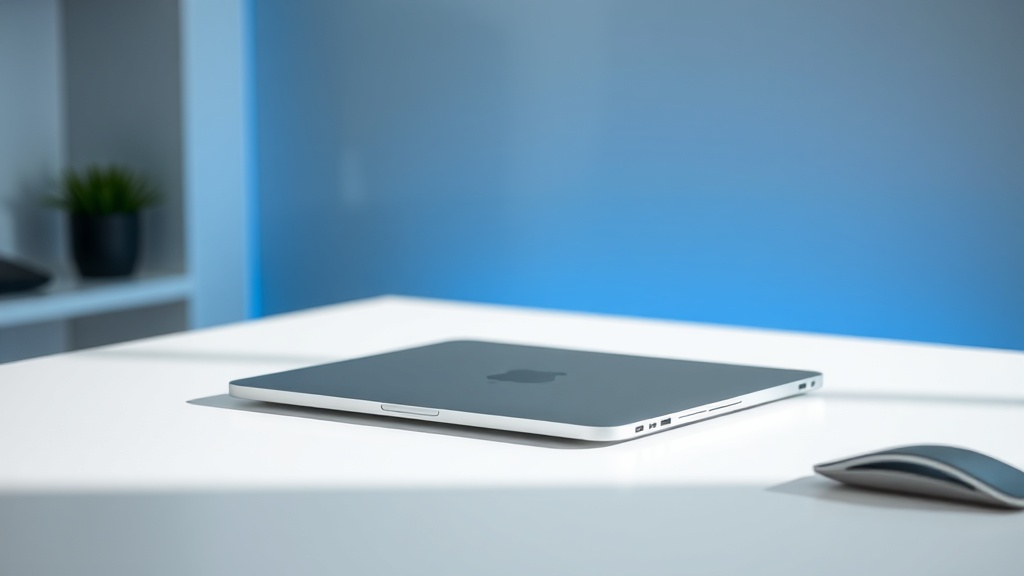
M4 MacBook Air Review: Finally, the Laptop Apple Should Have Made Two Years Ago

Best for: Everyone from students to professionals who need a solid laptop without Pro-level price tags.
Skip if: You do heavy video editing, 3D rendering, or need maximum battery life (get a MacBook Pro 14" instead).
Price: 13" starts at $999 (16GB RAM base); 15" starts at $1,199
Is the M4 MacBook Air worth it? Short answer: yes. Long answer: it's the laptop Apple should have released two years ago, but I'm glad it exists now.
After two weeks with both the 13-inch and 15-inch M4 MacBook Air models, here's my honest assessment: this is the best laptop for 80% of people shopping for a Mac in 2026. The performance improvements are real but incremental. The new Sky Blue color is genuinely nice (though subtle). The "Apple Intelligence" features are still mostly marketing.
But the real story? Apple finally made 16GB RAM the base configuration. This single change fixes the biggest legitimate complaint about MacBook Airs since Apple Silicon launched.
What's Genuinely Good
The RAM Upgrade Changes Everything
For years, I've told people to avoid the base MacBook Air because 8GB of RAM doesn't cut it in 2026. Chrome tabs eat memory. Slack is a resource hog. Even "light" multitasking would push the M2 and M3 Airs into swap, and once you're hitting the SSD for memory, performance tanks.
The M4 Air starts at 16GB. Finally. At $999, this is competitive with Windows laptops that have been shipping 16GB base for years. You can spec it up to 32GB if you really need it, but 16GB is genuinely sufficient for:
- 30+ Chrome tabs across multiple windows
- Multiple Office apps open simultaneously
- Light photo editing in Lightroom
- Development work with a few Docker containers
- Typical productivity multitasking without breaking a sweat
This isn't just about specs. It's about longevity. A MacBook Air with 16GB will still feel snappy in five years. An 8GB model would be struggling by year three.
Performance: Snappy, Responsive, Silent
The M4 chip is Apple's fourth-generation laptop silicon, and it shows. The performance gains over M3 are modest on paper (Apple claims up to 1.6x faster for some tasks), but the real-world experience is what matters: everything feels instant.
Apps launch faster. Large spreadsheets don't stutter. 4K video playback is flawless. The Neural Engine (which Apple keeps pushing for "AI" features) does make things like background noise removal in video calls noticeably better.
Most importantly: it's still fanless. The MacBook Air makes zero noise. In a quiet room, you forget it's even running. After years of Intel MacBook Airs that sounded like hair dryers under load, this still feels like magic.
Battery Life: All-Day, For Real
Apple claims up to 18 hours. In my real-world testing — mixed browsing, Slack, video calls, some photo editing — I'm getting 14-16 hours. That's genuinely all-day battery life. You can work from a coffee shop, forget your charger, and not panic.
Fast charging is still here: 30 minutes gets you to about 50%. The included 35W charger is fine, but if you have a higher-wattage USB-C charger (like from a MacBook Pro), it'll charge faster.
The 15-Inch Model Makes Sense Now
The 15-inch MacBook Air starts at $1,199 and gives you a bigger screen and better speakers. That's it — same chip options, same ports, same everything else. But the larger display is genuinely useful if you:
- Work with spreadsheets or documents all day
- Do any kind of side-by-side multitasking
- Watch a lot of video
- Just prefer a bigger screen (valid reason)
At $200 more than the 13-inch, the 15-inch is a reasonable upgrade. It's not "Pro" money, but you get noticeably more screen real estate.
What's Not Great
"Apple Intelligence" Is Still Half-Baked
Apple keeps marketing Apple Intelligence as a reason to buy new Macs. After six months of availability, here's the reality: the useful features (Writing Tools, some Siri improvements) work fine on M1 Macs and up. The genuinely impressive stuff either doesn't exist yet or requires such specific use cases that most people won't encounter it.
The M4 Neural Engine is faster, yes. But the difference between "fast AI" and "slightly faster AI" isn't a selling point for most users. Don't buy this laptop for Apple Intelligence. Buy it because it's a great laptop that happens to have AI features you might use occasionally.
The Display Is Good, Not Great
The Liquid Retina display is sharp, bright (500 nits), and color-accurate. It's perfectly fine for productivity and content consumption. But it's still 60Hz. The MacBook Pro has ProMotion (120Hz), and once you've used a high-refresh display, going back to 60Hz feels slightly sluggish.
This is a cost-cutting choice, and it's the right one for the Air's price point. But if you're coming from a 120Hz iPad Pro or a gaming laptop with high refresh, the MacBook Air's screen will feel a tiny bit less responsive.
Port Selection Is Minimal
Two Thunderbolt 4 ports and a headphone jack. That's it. One of those ports will be used for charging most of the time (unless you use MagSafe), leaving you one port for everything else.
Dongle life is real with the MacBook Air. You'll want a USB-C hub or dock if you connect to external displays, wired Ethernet, or legacy USB-A devices regularly. This isn't a dealbreaker — it's just the tradeoff for the thin-and-light design.
The Ecosystem Factor
If you're already in Apple's ecosystem, the MacBook Air sings. Universal Control lets you use one keyboard and mouse across your Mac and iPad. AirDrop is still the fastest way to move files between devices. iPhone Mirroring (new in macOS Sequoia) is genuinely useful — you can control your iPhone from your Mac, which is great for checking notifications without picking up your phone.
But here's where my Genius Bar experience matters: these features work great when they work, and they're maddening when they don't. Handoff fails occasionally. AirDrop sometimes just... doesn't show the device you're looking for. iCloud syncing has gotten better but still has weird delays.
When everything connects properly, it feels like magic. When it doesn't, you remember that "it just works" has always been more marketing than reality.
Who Should Buy This
Definitely Buy If:
- You're on an Intel MacBook (anything pre-2020) — this is a massive upgrade
- You're on an M1 MacBook Air with 8GB RAM — the performance and memory boost is worth it
- You need a reliable, portable laptop for work or school
- You want a Mac but don't want to spend Pro-level money
Consider the MacBook Pro 14" Instead If:
- You do professional video editing (Final Cut, Premiere Pro)
- You need maximum battery life (the Pro gets 20+ hours)
- You want the 120Hz ProMotion display
- You need more than two Thunderbolt ports
The 14-inch MacBook Pro starts at $1,599. If you can afford the jump, it's a better machine in almost every way. But it's also heavier and more expensive. For most people, the Air is the smarter buy.
Skip the Upgrade If:
- You have an M2 or M3 MacBook Air with 16GB+ RAM — the performance gain isn't worth $999-$1,199
- You're happy with your current laptop and it's meeting your needs
- You need Windows or Linux for specific software (the Air runs them, but native is better)
Configuration Recommendations
Most people: 13-inch, 10-core CPU/8-core GPU, 16GB RAM, 256GB storage — $999
This is the sweet spot. The base 10-core CPU/8-core GPU chip is fine for everything except serious gaming or video work. 16GB RAM handles real multitasking. 256GB storage is tight but manageable if you use iCloud or external storage.
If you store lots locally: Upgrade to 512GB storage (+$200)
If you do heavier work: 13-inch, 10-core CPU/10-core GPU (+$200), 24GB RAM (+$200)
This configuration ($1,399) gets you the better GPU and more RAM for intensive tasks without jumping to Pro pricing.
Screen size preference: 15-inch base model — $1,199
The bigger screen is genuinely nice. The 10-core CPU/10-core GPU chip is standard on the 15-inch, so you're getting the better graphics by default.
Compared To The Competition
vs Windows laptops: The MacBook Air M4 is competitive with premium Windows ultrabooks like the Dell XPS 13 or ThinkPad X1 Carbon. Where it wins: battery life, performance-per-watt, trackpad quality, and build quality. Where it loses: port selection, gaming capability, and flexibility (you're locked into macOS).
vs MacBook Pro 14": The Pro is better in every measurable way except portability and price. If you need a Pro, you know it. If you're not sure, you don't need one.
vs iPad Pro: The iPad Pro is more portable and has a better display. The MacBook Air is a real computer with a real file system and proper multitasking. For productivity work, the Air wins. For media consumption and drawing, the iPad wins.
Bottom Line
At $999, the M4 MacBook Air is the best laptop for most people. The 16GB base RAM finally makes it a no-compromise choice for regular users. The performance is excellent, the battery life is all-day, and the build quality is what you'd expect from Apple.
Is it revolutionary? No. It's an incremental improvement over the M3, which was an incremental improvement over the M2. But that's not a bad thing — it means Apple refined an already-excellent product.
If you need a new laptop in 2026 and want a Mac, this is the one to get. Skip the Pro unless you genuinely need the extra performance. Skip the upgrade if your current Mac is meeting your needs. But if you're buying new? The M4 MacBook Air is Apple's best value proposition in years.
Have questions about the M4 MacBook Air? Drop them in the comments — I've been using both sizes daily for work and personal tasks.
This post contains affiliate links. If you purchase through these links, I earn a small commission at no extra cost to you. Affiliate relationships never influence my reviews or recommendations.
]]>