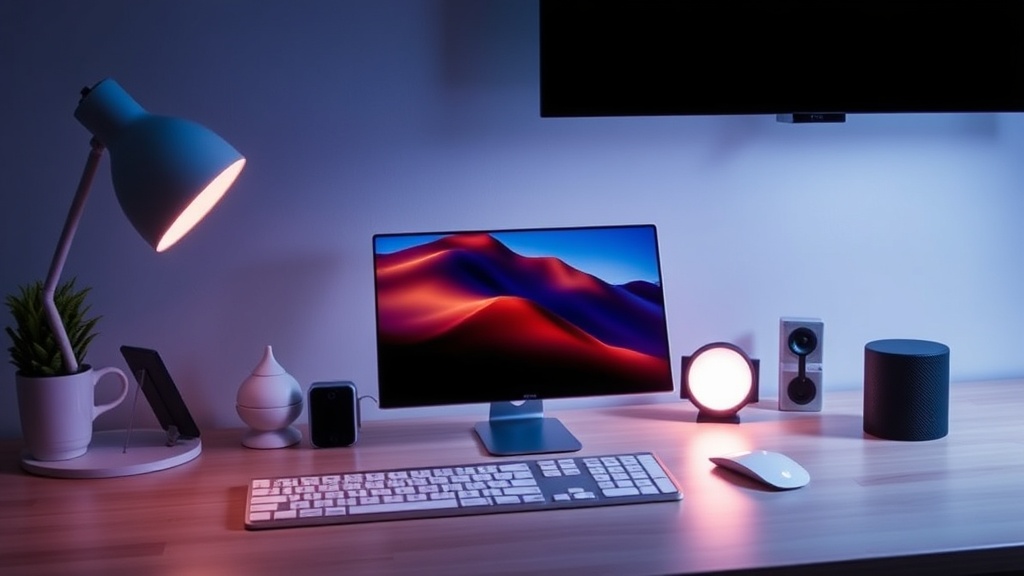
7 Minimalist Desk Accessories to Elevate Your Apple Setup

Aluminum Laptop Stand
Minimalist Felt Desk Mat
Magnetic Charging Dock
Sleek USB-C Hub
Minimalist Mechanical Keyboard
Adjustable iPad Stand
Wireless Charging Pad
Most people think a "minimalist" desk setup requires spending thousands on bespoke furniture and custom-built walnut stands. It doesn't. In reality, a great Apple setup is about reducing friction—removing the clutter that gets in the way of your actual work. This list focuses on seven specific accessories that respect the design language of your Mac or iPad while keeping your workspace functional and clean.
I've seen thousands of setups at the Genius Bar. Usually, the problem isn't the computer; it's the mess of cables and mismatched peripherals surrounding it. A clean desk isn't just about looking good for a social media photo—it's about mental clarity.
What Are the Best Desk Accessories for Mac Users?
The best desk accessories for Mac users are those that prioritize high-quality materials like aluminum and silicone to match Apple's own hardware standards. You don't want a cheap plastic stand sitting next to a $2,000 MacBook Pro. The contrast looks jarring.
1. The Satechi Aluminum Stand
If you use a MacBook, you need to get it off the desk surface. A stand like the Satechi Aluminum Laptop Stand does two things: it improves ergonomics and creates space underneath for storage. It's a simple fix for the dreaded "tech neck" caused by looking down at a screen all day.
The build quality is remarkably close to Apple's unibody construction. It feels heavy and stable—not flimsy. It's a small investment that pays off in long-term comfort. (Pro tip: Make sure your desk is deep enough to accommodate the footprint of the stand before buying.)
2. Twelve South HiRise Charging Stand
Apple fans love their peripherals, but the clutter of three different cables for an iPhone, an Apple Watch, and AirPods is a headache. The Twelve South HiRise solves this by stacking your devices vertically. It uses a single cable to power multiple devices, which keeps your desk looking intentional rather than chaotic.
It works beautifully with MagSafe-enabled iPhones. Instead of a tangled mess of wires, you have a single, clean vertical line. It's one of those things you didn't know you needed until you actually use it.
How Much Do Minimalist Desk Accessories Cost?
The cost of a minimalist setup varies wildly depending on whether you buy premium-tier brands or budget-friendly alternatives. Most high-quality, single-item accessories range from $30 to $150. You can certainly find cheaper options on Amazon, but the build quality often falls short of the "Apple aesthetic."
Here is a quick breakdown of what you can expect to spend on a quality setup:
| Accessory Type | Budget Option ($) | Premium Option ($) | Typical Brand |
|---|---|---|---|
| Laptop Stand | $25 | $80+ | Twelve South / Satechi |
| Desk Mat | $15 | $50+ | Orbitkey / Grovemade |
| Charging Dock | $30 | $120+ | Belkin / Apple |
| Cable Management | $10 | $40 | Anker / Native Union |
3. Grovemade Desk Mats
A desk mat is the easiest way to define your workspace. Instead of a massive, tacky mousepad, a felt or leather desk mat provides a textured surface that feels great under your hands. Grovemade makes some of the best wool felt mats on the market. They add a layer of warmth to the cold aluminum of a Mac.
It also helps dampen the sound of your keyboard. If you're typing a heavy report, that subtle "thud" on a felt mat is much more pleasant than the "clack" on a hard wooden desk. It's a small detail, but it matters.
4. Anker USB-C Hubs
Apple's move to minimize ports was great for the laptops, but it's a pain for anyone using external monitors or SD cards. You shouldn't have to carry a backpack full of dongles. Anker makes reliable, compact hubs that look much more professional than the generic white plastic ones. A good hub ensures your MacBook remains a portable powerhouse rather than a stationary desktop tethered by a dozen adapters.
I've seen many users try to use cheap, unbranded hubs, only to have their data transfer speeds drop or, worse, damage their ports. Stick to reputable brands. It's worth the extra $15 to protect your hardware.
Why Is Cable Management Important for a Tech Setup?
Cable management is important because visible wires create visual noise that distracts from your work and breaks the aesthetic of a clean desk. A single visible wire can make a $3,000 setup look like a mess. Use braided cables or weighted cable blocks to keep things tidy.
5. Native Union D3 Braided Cables
Standard white Apple cables are great, but they are easy to lose and can look a bit "plain." Native Union's braided cables are much more durable and have a premium weight to them. They don't tangle as easily, and the texture feels much better when you're reaching for your phone. It’s a small luxury that makes a difference in daily use.
6. Orbitkey Desk Organizer
Even with a clean desk, you still have small items: pens, a single USB drive, or perhaps your Apple Pencil. Instead of a pile of junk, use a dedicated organizer. The Orbitkey desk organizer is sleek and keeps your essentials in one place without taking up half the desk. It’s compact and stays out of the way when you aren't using it.
7. Logitech MX Master 3S
While not strictly "minimalist" in terms of features, the MX Master 3S is the gold standard for productivity. It's a mouse that actually feels like it belongs with a Mac. The precision and the side-scrolling capabilities make long hours of browsing or editing much more efficient. It's a tool, not just a gadget.
If you want to understand more about how your devices work together, check out the complete Apple ecosystem guide. A great desk setup is really about how your tools interact with your workflow.
One thing to remember: don't over-optimize. You don't need a smart light, a smart coaster, and a smart lamp just to write an email. Start with the basics—a stand, a good mouse, and a way to hide your cables. That's the foundation of a professional workspace.
If you're looking to expand beyond just your desk, you might find interest in learning how to build a smart home with Apple HomeKit. A clean desk is often the first step toward a more organized, automated life.
The goal isn't to have a desk that looks like a museum exhibit. The goal is to have a desk that stays out of your way so you can actually get things done. Whether you're a student or a professional, these small changes to your physical environment can have a massive impact on your focus.