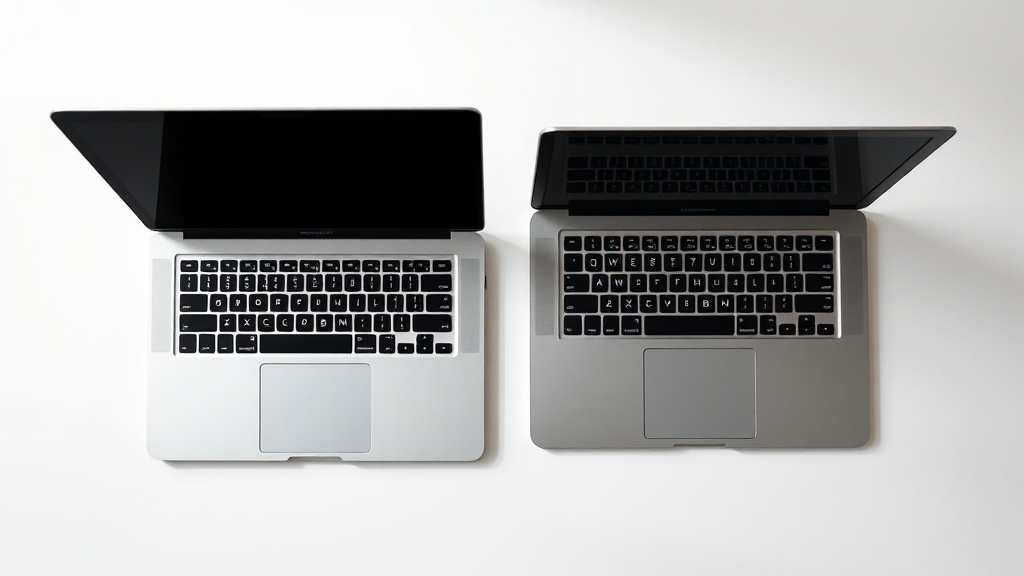
MacBook Air vs MacBook Pro (2026 Buying Guide): How to Actually Choose

Should you get the MacBook Air or the MacBook Pro? After testing every configuration of both, here's the decision framework that actually works.
Quick Verdict
Buy the MacBook Air M4 ($999) if you're a student, office worker, content consumer, or light creative who needs a reliable laptop that'll last 5+ years.
Buy the MacBook Pro 14" ($1,599) if you're a developer, video editor, data scientist, or power user who hits performance walls regularly.
Don't overthink the 13" vs 15" Air decision — get the 13" unless screen real estate is genuinely important to your workflow.
The $600 Question
The MacBook Air M4 starts at $999. The MacBook Pro 14" starts at $1,599. That's a $600 difference — enough for AirPods Pro, an iPad, or a very nice vacation.
Here's the thing Apple doesn't emphasize: the base MacBook Air M4 with 16GB RAM and 256GB storage is genuinely excellent for most people. The 16GB base configuration (finally) eliminates the only real complaint I've had about the Air for years. You no longer need to pay extra for adequate memory.
The base MacBook Pro 14" also comes with 16GB RAM, but the M4 Pro chip option jumps to $1,999 — and that's where this gets interesting.
What the MacBook Pro Actually Gets You
People assume the Pro is "just faster." That's not wrong, but it's incomplete. Here's what the extra $600 buys you:
1. Sustained Performance (The Big One)
The MacBook Air is fanless. This matters more than benchmarks suggest. Under sustained workloads — exporting a long 4K video, compiling large codebases, rendering 3D scenes — the Air will throttle after 10-15 minutes to manage heat. The Pro won't.
In my testing, the Air M4 handles short bursts brilliantly. A 5-minute 4K export? Air is fine. A 45-minute documentary project? You'll feel the difference.
2. Display Quality
The Pro's Liquid Retina XDR display is significantly better than the Air's excellent Liquid Retina:
- 1,600 nits peak HDR vs 500 nits (Air)
- 1,000,000:1 contrast ratio vs 1,000:1
- True blacks thanks to mini-LED zones
- ProMotion (120Hz) vs 60Hz
For photo/video editing, HDR content creation, or anyone who stares at a screen 8+ hours daily, this is noticeable. For everyone else? The Air's display is still very good.
3. Ports and Connectivity
Air: 2 Thunderbolt 4 ports, headphone jack, MagSafe
Pro: 3 Thunderbolt 4/5 ports, HDMI, SDXC card slot, headphone jack, MagSafe
The HDMI port and SD slot matter if you present frequently or shoot photos/video with dedicated cameras. The extra Thunderbolt port matters if you run multiple external displays.
4. Speaker and Microphone Quality
The Pro's six-speaker sound system with spatial audio is legitimately impressive. The Air's four-speaker setup is good but not great. For video calls, the Pro's studio-quality mic array is noticeably cleaner.
5. Battery Life Under Load
Both get excellent battery life for light tasks (18 hours for Air, 24 hours for Pro). Under heavy workloads, the Pro's larger battery and more efficient sustained performance extend the gap significantly.
Who Should Buy Which
Get the MacBook Air M4 ($999) if you:
- Write documents, manage email, browse the web, watch content
- Use Microsoft Office, Google Workspace, or similar productivity suites
- Do light photo editing (occasional Lightroom, Canva)
- Code occasionally (not full-time development)
- Are a student at any level
- Want the most laptop for your money
- Prioritize portability (lighter, thinner, fanless)
Get the MacBook Pro 14" ($1,599 base M5) if you:
- Edit video professionally or semi-professionally (Final Cut, Premiere, DaVinci)
- Develop software full-time, especially with large codebases or VMs
- Work with data science, machine learning, or 3D rendering
- Run multiple external displays regularly
- Need SD card or HDMI ports without dongles
- Can't afford thermal throttling in your workflow
Get the MacBook Pro 14" with M4 Pro ($1,999) if you:
- Edit 8K video or complex 4K multicam projects
- Need more than 16GB RAM (24GB+)
- Run virtual machines regularly
- Work in VFX, 3D animation, or scientific computing
- Have a genuine need for the extra GPU cores
The 13" vs 15" MacBook Air Decision
Apple now offers the M4 MacBook Air in two sizes at the same price points:
- 13" ($999): 2.7 lbs, 11.97" wide
- 15" ($1,199): 3.3 lbs, 13.40" wide
Same chip. Same specs. $200 more for 0.6 lbs and 2.5 diagonal inches.
My take: Most people should get the 13". The 15" only makes sense if you're consistently working with complex spreadsheets, side-by-side documents, or timeline-based editing where screen real estate genuinely improves efficiency. The 13" is more portable and $200 cheaper.
Configuration Recommendations
MacBook Air Configurations
Base ($999): 16GB RAM, 256GB storage — Most people should buy this. Add external storage if needed.
Sweet Spot ($1,199): 16GB RAM, 512GB storage — Worth it if you store lots of photos/videos locally and hate external drives.
Avoid: 24GB RAM unless you have a specific memory-heavy workflow. Most users never approach 16GB.
MacBook Pro Configurations
Base M5 ($1,599): 16GB RAM, 512GB — Solid for developers, light video editors, and anyone who wants the Pro features without maxing specs.
Upgrade Path ($1,999): M4 Pro with 24GB RAM — The real professional starting point. Better sustained performance and memory headroom.
Honest truth: M4 Max is overkill for 95% of users who think they need it. I've met plenty of people who bought "just in case" and never used the capability.
When to Buy, When to Wait
Buy Now If:
- You're on an Intel Mac or M1 Mac and feeling performance constraints
- You need a laptop for the upcoming semester or work project
- Your current laptop is failing or painfully slow
Consider Waiting If:
- You have an M2 or M3 MacBook Air that's working fine
- You can hold out until late 2026 (M5 refresh likely)
- You specifically want an M4 Pro MacBook Air (doesn't exist yet, may never)
The Comparison Table
| Feature | MacBook Air M4 | MacBook Pro 14" M5 |
|---|---|---|
| Starting Price | $999 | $1,599 |
| Weight | 2.7 lbs (13") | 3.5 lbs |
| Base RAM | 16GB | 16GB |
| Display | 13.6"/15.3" Liquid Retina 500 nits, 60Hz |
14.2" XDR mini-LED 1,600 nits HDR, 120Hz |
| Ports | 2× Thunderbolt 4 MagSafe, headphone |
3× Thunderbolt 4/5 HDMI, SDXC, MagSafe, headphone |
| Fan / Cooling | Fanless (silent, throttles under sustained load) | Active cooling (sustains peak performance) |
| Battery Life | Up to 18 hours | Up to 24 hours |
| Best For | Students, office work, light creative, general use | Developers, video editors, power users, pros |
My Bottom Line
After five years at the Genius Bar, I can tell you the most common mistake: people buy too much laptop. They walk out with a $2,500 MacBook Pro for web browsing and Netflix because "I want it to last." The Air would've lasted just as long for half the price.
The M4 MacBook Air is the best laptop for 80% of people. Period. The MacBook Pro is the best laptop for people who have specific workflows that demand sustained performance.
If you're unsure which category you're in, you're almost certainly in the Air category. The people who need the Pro know exactly why.
Buy the Air. Bank the $600 difference. Thank yourself in three years.
* This post contains affiliate links. If you purchase through these links, I earn a small commission at no extra cost to you. Affiliate relationships never influence my reviews or recommendations.
Pricing verified February 22, 2026. Prices subject to change.