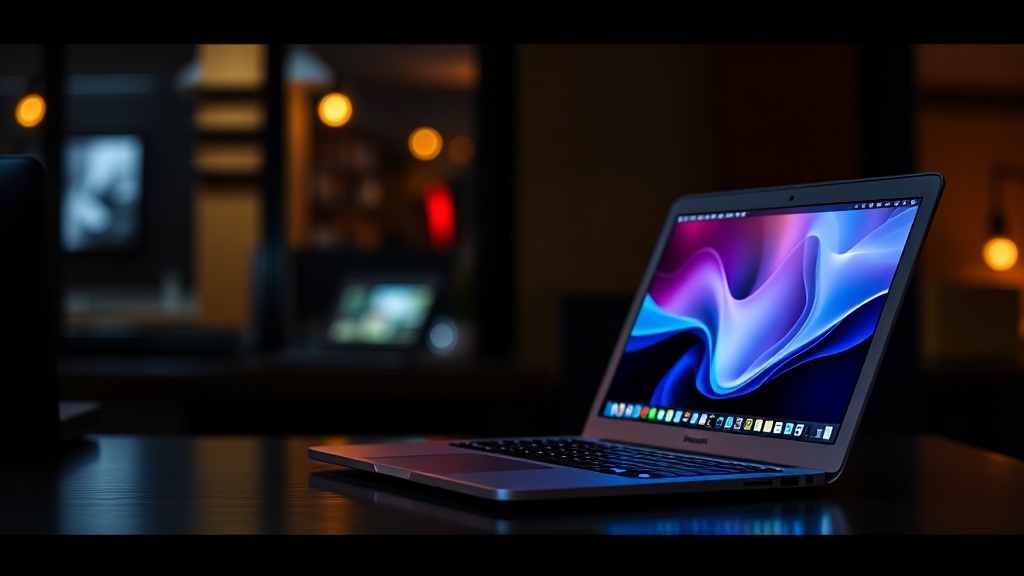
M4 MacBook Air Review: The Laptop Most People Should Actually Buy

I've been using the M4 MacBook Air for about six weeks now, and I think it's time we had an honest conversation about this machine. Not the breathless "Apple did it again!" take, and not the contrarian "it's basically the same laptop" hot take either. The truth — as it usually does — lands somewhere in the middle, and it's more interesting than either extreme.
Here's my bottom line up front: the M4 MacBook Air is the best general-purpose laptop you can buy in 2026. Full stop. But that recommendation comes with some context you won't find in Apple's marketing materials.
What's Actually New
Let's start with what changed. The M4 chip brings a 10-core CPU (up from the M3's 8-core), a 10-core GPU, and — here's the big one — 16GB of unified memory as the base configuration. That last point matters more than anything else on the spec sheet. The M3 Air shipped with 8GB as the starting config, and I spent a lot of time telling customers at the Genius Bar that 8GB wasn't going to cut it for most workflows beyond basic browsing. Apple finally listened, or at least realized the bad press wasn't going away.
You also get a slightly brighter display (600 nits, up from 500), an upgraded 12MP Center Stage camera, and support for two external displays with the lid open. That dual-display support was a real pain point with the M2 and M3 models — if you wanted to connect two monitors, you were stuck buying a MacBook Pro or using hacky DisplayLink workarounds. Now it just works, which is how it always should've been.
The design itself? Virtually identical to the M3 Air. Same wedge-free unibody, same MagSafe charging, same two Thunderbolt ports (now USB 4), same excellent keyboard. If you were hoping for a design refresh, you'll be waiting a while.
Performance: Where It Matters and Where It Doesn't
Here's where I have to be careful, because benchmark numbers can tell whatever story you want them to. Yes, the M4 Air is roughly 25-30% faster than the M3 Air in multi-core workloads. Yes, the GPU is noticeably quicker for things like video editing and photo processing. In Lightroom, exporting a batch of 200 RAW photos takes about 40 seconds less than it did on my M3 Air. That's real and noticeable.
But let's be honest about who's actually going to feel these gains in daily use. If you're browsing the web, writing documents, managing email, and hopping between Slack and Zoom — which describes about 80% of laptop users — the M4 Air will feel exactly like the M3 Air, which felt exactly like the M2 Air. These chips have been "fast enough" for everyday tasks since the M1. The performance ceiling for basic productivity was hit three generations ago.
Where you will notice the difference is in sustained workloads. The M4's improved thermal efficiency means it can maintain peak performance longer without throttling. I ran a 45-minute 4K video export in Final Cut Pro, and the M4 Air held its clocks steady the entire time. The M3 Air would've started throttling around the 20-minute mark. For creators who push their machines hard but don't want to pay MacBook Pro prices, this is genuinely meaningful.
The 16GB base memory also changes the calculus for running local AI models. I've been experimenting with smaller LLMs — running Llama-based models through MLX — and the M4 Air handles 7B parameter models surprisingly well. With the M3's 8GB base, you were either buying up or not bothering. Now the entry-level machine is actually capable of light local AI work, which feels like it matters more every month.
Battery Life: Still the Gold Standard
Apple claims 18 hours of video playback and 15 hours of wireless web browsing. In my real-world testing — a mix of Safari, VS Code, Slack, Spotify, and the occasional Zoom call — I'm consistently getting 13-14 hours before I need to reach for the charger. That's not 18 hours, but it's still absurd. I regularly forget to charge this thing overnight and it doesn't matter, because there's always enough juice to get through the next morning.
One thing I appreciate: MagSafe charging hits about 50% in 30 minutes with the included 35W adapter. Fast charging isn't new to the Air, but it remains one of those quality-of-life features that makes a real difference when you're scrambling before a meeting.
The Display and Speakers
The 13.6-inch Liquid Retina display is gorgeous. The bump to 600 nits makes outdoor use noticeably more comfortable — I spent a weekend working from my back deck and didn't have to squint or crank brightness to max. Colors are accurate out of the box (P3 wide color gamut), and the anti-reflective coating does a decent job managing glare.
That said, I'd love to see ProMotion (120Hz) trickle down to the Air lineup. After using a MacBook Pro with ProMotion, going back to 60Hz feels a little stuttery when scrolling through long documents or web pages. It's not a dealbreaker — it's one of those things you don't miss until you've experienced the alternative — but it would've been a nice addition given that plenty of mid-range Windows laptops now ship with 120Hz panels.
The speaker system punches well above its weight for a laptop this thin. The four-speaker setup with spatial audio support fills a room better than any ultrabook I've tested. They're not going to replace dedicated speakers, obviously, but for watching a movie in a hotel room or listening to a podcast while cooking, they're genuinely impressive.
Who Should Buy This (and Who Shouldn't)
If you're on an M1 Air or older and you've been waiting for the right time to upgrade, this is it. The jump from M1 to M4 is significant across every metric — performance, display quality, camera, battery life, and that crucial bump to 16GB base memory. You'll feel the upgrade immediately.
If you're on an M2 Air, the upgrade is harder to justify unless you specifically need dual external display support or you're doing work that benefits from the extra CPU and GPU cores. The M2 Air is still a fantastic machine, and spending $1,199 (or $1,499 for the 15-inch) to get incremental improvements isn't a great use of money for most people.
If you're on an M3 Air — honestly, skip this generation. The improvements are real but modest. Wait for the M5 or M6, which will likely bring a design refresh and (hopefully) ProMotion.
And if you're a power user who regularly maxes out CPU and memory — video editors working with 8K footage, developers running multiple Docker containers and VMs simultaneously, data scientists training models — you still want a MacBook Pro. The Air's fanless design means it will eventually throttle under sustained heavy loads, even if the M4 handles it better than previous generations. The Pro exists for a reason.
The Configuration I'd Actually Recommend
The base model — M4, 16GB, 256GB SSD — starts at $1,099 for the 13-inch. But I'd strongly suggest stepping up to 512GB of storage for an extra $200. With macOS, apps, and a reasonable photo library, 256GB fills up fast. The 512GB model at $1,299 hits the sweet spot for most buyers.
If you can stretch to $1,499, the 24GB/512GB configuration is the one I'd pick for anyone who plans to keep this laptop for 4-5 years. That extra 8GB of memory gives you meaningful headroom for future macOS updates and increasingly memory-hungry apps. You can't upgrade the RAM later — it's soldered to the chip — so buying more now is cheap insurance.
Skip the 15-inch unless you specifically want the larger screen for media consumption or you find the 13.6-inch display cramped for productivity. The 15-inch is a great machine, but the 13-inch is more portable and easier to use on a plane or in a coffee shop.
The Verdict
The M4 MacBook Air isn't a revolutionary update. It's an iterative one — and that's fine. Apple has refined this laptop to the point where there's very little to complain about. It's fast, it lasts all day (and then some), the display looks great, and the base configuration finally includes enough memory to not feel like a compromise.
Is it exciting? Not particularly. But excitement isn't what most people need from a laptop. They need something reliable, capable, and pleasant to use every day for the next several years. The M4 MacBook Air delivers on all three counts, and it does so at a price point that — while not cheap — represents genuinely good value for what you're getting.
After six weeks, I keep reaching for this machine over everything else on my desk. That tells you everything you need to know.