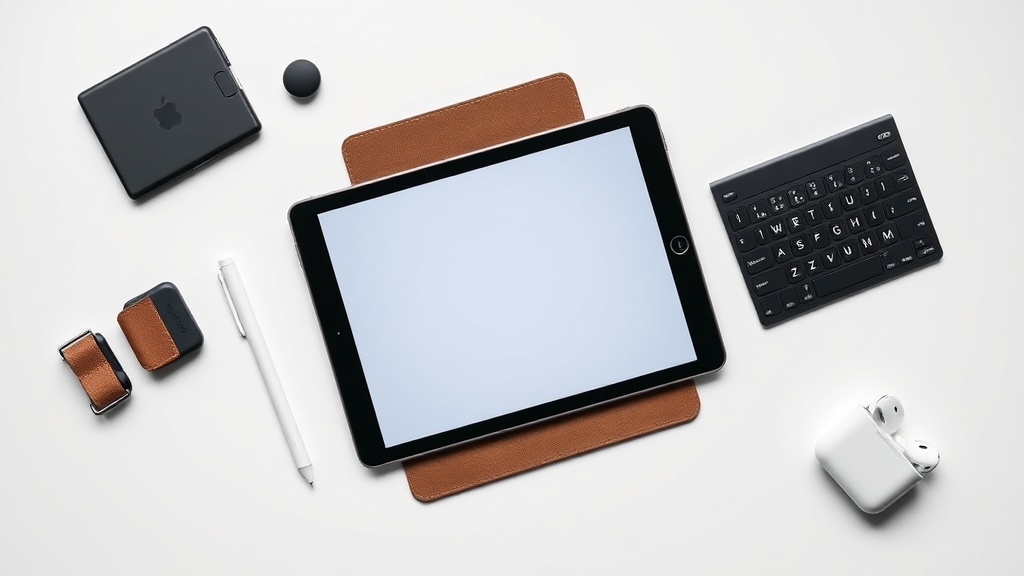
iPad Air M4 Accessories Roundup: 6 Must‑Have Add‑Ons for 2026

Looking to get more out of your iPad Air M4?
When I first unboxed the iPad Air M4 at the Genius Bar, I was impressed by the display and speed—but the real magic happens when you pair it with the right accessories. In this roundup I’ll show you six add‑ons that turned my everyday workflow from "good enough" to "can't live without it." All of these have survived the wear‑and‑tear of a busy tech writer’s life, so you know they’re built to last.
1. Does a leather case protect your iPad without adding bulk?
My go‑to is the Apple Leather Case. It hugs the edges, feels premium in hand, and adds just enough cushion to survive a couple of drops. The built‑in magnetic closure keeps the screen safe when you toss it in a bag.
Why I like it: The leather ages beautifully, and the magnetic Smart Cover doubles as a stand—perfect for quick note‑taking.
2. Can the Apple Pencil make sketching and note‑taking feel natural?
The second‑generation Apple Pencil is a must‑have for anyone who wants to replace a notebook. With 2 ms latency and pressure sensitivity, it feels like a real pen on paper.
Pro tip: Pair it with the iPad Air M4’s new Apple Pencil Hover feature—just hover the tip a few millimeters above the screen to preview where your line will start.
3. Does a detachable keyboard turn the iPad into a laptop?
The Magic Keyboard for iPad Air gives you a scissor‑switch typing experience that rivals the MacBook Air. The floating cantilever design lets you adjust the angle for comfort.
Real‑world use: I type my review drafts on it for hours without fatigue, and the built‑in trackpad works seamlessly with iPadOS gestures.
4. Which case adds extra protection for the clumsiest of us?
If you’re prone to drops, the OtterBox Symmetry Series offers rugged protection while staying relatively slim. It meets military‑grade drop standards and still fits in a backpack.
Bottom line: It adds about 0.3 lb, but the peace of mind is worth it if you travel often.
5. Do wireless earbuds enhance the iPad media experience?
The AirPods Pro 3 (released earlier this year) pair instantly with the iPad Air M4 and bring spatial audio to movies and games. Their active noise cancellation is a game‑changer for noisy cafés.
Quick comparison: I covered the AirPods 4 vs Pro 3 debate in AirPods 4 vs AirPods Pro 3—the Pro still wins on sound quality for iPad use.
6. Can a USB‑C hub expand connectivity without a mess?
The Satechi USB‑C Multiport Pro Adapter adds HDMI, SD card, and Ethernet ports. It’s a lifesaver when I need to hook the iPad up to an external monitor for presentations.
My workflow: Connect the hub, plug in a 4K monitor, and you have a desktop‑like setup in seconds.
What’s the bottom line?
These six accessories cover protection, productivity, and entertainment—everything you need to get the most out of the iPad Air M4. If you’re still on the fence about buying the tablet, check out my full review first; the accessories will feel like a natural next step.
Related Reading
- iPad Air M4 Review: Is It Worth the Upgrade? — my hands‑on performance test.
- AirPods 4 vs AirPods Pro 3 — why the Pro still matters for iPad users.
- iPhone 17e Accessory Roundup — similar accessories for the newest iPhone.