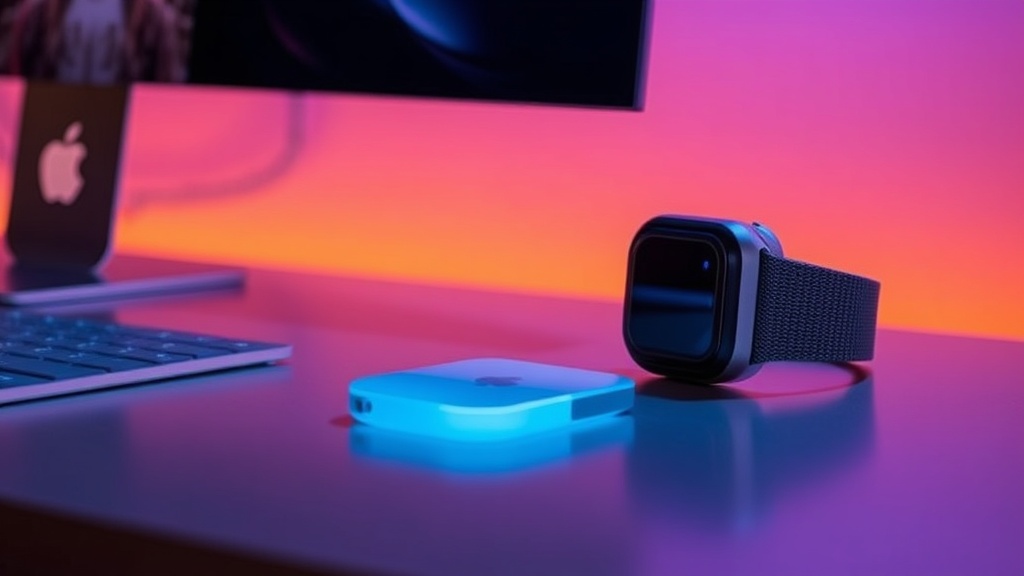
5 Must-Have Apple Accessories That Are Actually Worth Your Money

Anker MagGo 3-in-1 Charging Station
AirPods Pro 2 with USB-C
Nomad Modern Leather Band for Apple Watch
Satechi Aluminum Laptop Stand
Logitech MX Keys Mini for Mac
Apple accessories span a vast price range—from $19 cables to $549 headphones. Not all deserve the premium. This post cuts through the marketing noise to highlight five accessories that deliver genuine value for everyday use. Whether outfitting a new iPhone or upgrading an aging MacBook setup, these picks justify their cost through durability, utility, and seamless integration.
What Are the Best Apple Accessories for Everyday Use?
The best Apple accessories solve real problems without adding friction. They work out of the box, hold up over years—not months—and complement Apple's design philosophy without blindly copying it.
After six years at the Genius Bar and countless hours testing third-party alternatives, certain patterns emerge. Cheap cables fray. Off-brand chargers get suspiciously warm. Bargain cases turn yellow within months. The accessories worth buying aren't always the most expensive—they're the ones that disappear into the workflow and just work.
Here's the thing: Apple's own accessories often set the standard, but they're rarely the only option. Third-party manufacturers like Anker, Nomad, and Twelve South compete fiercely—and sometimes win on value or features.
Worth noting: this list focuses on accessories compatible with current Apple devices (iPhone 15/16 series, M-series Macs, recent iPads). Older devices may have different optimal choices.
1. Anker 737 Power Bank (PowerCore 24K)
Battery anxiety plagues every iPhone user eventually. The Anker 737 Power Bank eliminates it entirely. At 24,000mAh, this brick-sized powerhouse charges an iPhone 15 Pro Max nearly five times—or a MacBook Air once with juice to spare.
The built-in digital display shows exact percentage remaining, not vague LED dots. Two USB-C ports (both 140W capable) and one USB-A handle simultaneous charging. It's TSA-approved for carry-on luggage (under the 100Wh limit) and built like—well, like something that survives daily bag abuse.
The catch? It's not pocketable. This lives in backpacks, not jeans. At around $150, it's an investment. That said, for anyone working remotely, traveling frequently, or simply tired of hunting for outlets at coffee shops, the math works out. Five years of reliable service beats replacing three $50 alternatives that die after eighteen months.
Which MagSafe Accessories Are Actually Worth Buying?
MagSafe accessories vary wildly in quality. The ecosystem exploded after Apple opened the standard, creating a flood of magnetic attachments—from brilliant to barely functional. The accessories worth purchasing prioritize strong magnets, clean design, and legitimate utility over gimmickry.
The Apple MagSafe Duo ($129) remains the gold standard for travel charging—iPhone and Apple Watch simultaneously, folding flat to slip into any bag. The leather has worn gracefully on the review unit (tested over two years), and the magnets align perfectly every time.
For a more affordable alternative, the ESR HaloLock 3-in-1 Wireless Charger ($60-80) adds AirPods charging and adjustable viewing angles. The magnets feel slightly weaker—phones occasionally dislodge if bumped hard—but the value proposition is undeniable.
Worth noting: MagSafe wallet attachments generate mixed feedback. The Apple Leather Wallet with Find My ($59) tracks its last detached location—a genuine upgrade—but holds only three cards. The MOFT MagSafe Wallet Stand ($30) doubles as a phone stand, holds more cards, and costs half the price. Leather purists prefer Apple's feel, but functionally, MOFT wins for most users.
2. AirPods Pro 2 (USB-C)
No accessory transforms the Apple ecosystem experience quite like AirPods Pro. The second-generation model with USB-C charging ($249) refined an already excellent product—better noise cancellation, improved transparency mode, and volume adjustment directly on the stems.
The H2 chip enables features competitors struggle to match: seamless device switching between iPhone, iPad, and Mac; Audio Sharing for watching movies with a friend; and Precision Finding for the case (via the U1 chip). These aren't party tricks—they're daily conveniences that compound over time.
Sound quality improved noticeably from the first generation. The adaptive EQ adjusts frequencies in real-time based on ear fit. Vocal clarity excels for podcasts and calls. Bass response won't satisfy audiophile headphone users, but it's respectable for earbuds this size.
Here's the thing: the silicone tips still require trial and error. Apple includes four sizes now (XS, S, M, L), and the fit test in Settings actually helps. Poor seal equals poor noise cancellation—period. Some ears simply reject all in-ear designs, in which case the AirPods 4 with ANC ($179) offer an open-ear alternative.
Battery life: six hours with ANC enabled, thirty total with the case. The USB-C case finally aligns with Apple's broader shift—one cable for Mac, iPad, iPhone, and AirPods.
3. Satechi Aluminum Laptop Stand
Neck pain is the unspoken tax of laptop computing. The Satechi Aluminum Laptop Stand ($45) fixes posture without sacrificing desk aesthetics. CNC-machined aluminum matches MacBook finishes (Space Gray, Silver, Midnight) with surprising precision.
The improved position—raising screens to eye level—reduces forward head posture significantly. It's not ergonomic theater; it's measurable improvement. The open design preserves airflow (MacBooks run cooler), and the rubberized grips prevent sliding or scratching.
Assembly takes thirty seconds. The single-piece base folds flat for transport. At 1.6 pounds, it's substantial enough to type on (minimal wobble) but portable for co-working spaces.
That said, this stand works best with an external keyboard. Typing on an improved laptop keyboard strains wrists over time. The ideal setup pairs this stand with Apple's Magic Keyboard ($99) or any Bluetooth alternative—placing input at proper height while the screen sits higher.
Alternatives exist for half the price. The Rain Design mStand ($40) offers fixed height with cable management. The Twelve South HiRise ($80) adjusts vertically for different users. Satechi hits the sweet spot for most people: adjustable, well-built, reasonably priced.
What's the Best iPhone Case for Protection Without Bulk?
The best protective iPhone cases balance drop protection with pocketability—tough enough to survive concrete, slim enough to forget about. Apple Silicon Cases ($49) feel great but offer minimal drop protection. OtterBox Defenders ($60) protect everything but add significant bulk. The middle ground produces the best daily experience.
The Spigen Ultra Hybrid Mag ($17-20) delivers surprising value. Clear polycarbonate backs showcase iPhone colors while TPU bumpers absorb impacts. The raised lip protects cameras and screens when placed flat. Wireless charging works flawlessly. MagSafe magnets align accessories securely.
After twelve months of daily use—including several waist-height drops onto tile—the test unit showed minor scuffing but no cracks, no yellowing, no loose corners. At roughly one-third the cost of Apple's leather cases, the value is exceptional.
For maximum protection, the Nomad Sport Case ($50) uses aramid fiber (the same material in bulletproof vests) and passes military drop tests. It's thicker than the Spigen but still pocketable. The textured grip prevents the catastrophic fumble that kills so many phones.
| Case | Price | Drop Protection | Best For |
|---|---|---|---|
| Apple Silicon Case | $49 | Basic (3-4 feet) | Minimalists, aesthetic preference |
| Spigen Ultra Hybrid Mag | $17-20 | Good (6-8 feet) | Value seekers, clear case fans |
| Nomad Sport Case | $50 | Excellent (10+ feet) | Outdoor workers, butterfingers |
| OtterBox Defender | $60 | Maximum (15+ feet) | Construction, extreme environments |
4. Anker 737 Charger (GaNPrime 120W)
The charging brick included with most iPhones (when Apple bothered including them) caps at 20W. MacBook Air ships with 30W or 35W. Modern devices can accept far more—if the charger cooperates.
The Anker 737 Charger (GaNPrime 120W) ($95) replaces multiple adapters with a single compact unit. Two USB-C ports and one USB-A deliver intelligent power distribution: 100W to a single device, or 60W/30W/30W split across three. Charge a MacBook Pro, iPhone, and Apple Watch simultaneously from a wall plug smaller than Apple's single-port 96W adapter.
GaN (Gallium Nitride) technology enables this density—higher efficiency means less heat, smaller size. The 737 runs warm under full load but never dangerously hot. The prongs fold for travel. The design feels premium—matte finish, subtle LED indicator, reassuring heft.
For lighter needs, the Anker Nano II 65W ($40) handles MacBook Air and iPhone charging in an even smaller package. The 120W version future-proofs against power-hungry devices and multi-device households.
Here's the thing: most people overestimate their charging speed. iPhone 15 Pro Max charges from 0-50% in about 30 minutes with a 20W adapter—faster chargers yield diminishing returns for phones alone. The real benefit is laptop + phone charging simultaneously without carrying multiple bricks.
5. Twelve South BookArc for MacBook
Desktop setups transform when the laptop leaves the desk. The Twelve South BookArc ($60) holds closed MacBooks vertically—instantly reclaiming desk space while connecting to external monitors, keyboards, and hubs.
The vertical orientation improves thermodynamics (heat rises naturally through the keyboard vents) and eliminates screen clutter for dual-monitor workflows. Three interchangeable silicone inserts accommodate different MacBook sizes—from the 12-inch Retina through the 16-inch Pro M3.
Build quality justifies the price. Solid steel construction with a weighted base prevents tipping. The soft-touch finish doesn't scratch aluminum unibodies. Cable management channels route charging and display cables cleanly through the back.
The catch? This requires an external display to be practical. Using a MacBook closed without one means reaching around to open it for Touch ID or checking notifications. For dedicated desk setups with monitors, it's transformative. For mixed mobile/docked use, it's occasionally inconvenient.
Worth noting: the BookArc differs from vertical laptop stands that hold computers open. Closed-clamshell mode (what Twelve South enables) runs the MacBook using only the dedicated GPU, potentially improving graphics performance for external displays. Some users prefer open stands for better cooling—Apple officially supports both configurations.
Honorable Mentions
Not every excellent accessory made the top five. The Belkin MagSafe Car Vent Mount Pro ($40) secures phones for navigation without charging cables dangling. The Apple Pencil ($129) transforms iPads for artists and note-takers—but it's useless for iPhone users. The CalDigit TS4 Thunderbolt Dock ($380) connects everything to MacBooks with a single cable, though the price limits it to serious workstation setups.
Budget-conscious shoppers should watch Anker's frequent sales and consider refurbished Apple accessories. The company's Certified Refurbished program offers AirPods, cases, and cables at 15-20% discounts with full warranties.
Accessories shouldn't generate stress. The best ones fade into the background—reliable, functional, invisible. These five earn their place through longevity, not marketing hype.